Coffee apps compared at a glance
A café owner choosing an ordering system and a coffee drinker standing in front of a shelf of beans have different decisions to make. This ranking gives first priority to a repeat visit to an independent Ottawa café, then to finding a shop, choosing beans and brewing at home. The last two picks suit people who already have a particular brewer or espresso setup.
Read across a row to see the ordering, discovery and brewing features that distinguish each pick. A dash marks a task outside that app’s main use here. The cost column distinguishes what the café pays from what the drinker pays.
| Rank and app | Ordering and rewards | Café or bean discovery | Brewing and tracking | Phones | Cost in Canada |
|---|---|---|---|---|---|
| 1. Craver | Branded pickup, reorders and rewards | Participating café’s menu and locations | — | iOS and Android, under the café’s name | CA$99/month per location for the café. Guest order fee applies. |
| 2. Th3rdwave | Digital stamp cards at participating cafés | Café map, filters and saved places | — | iOS and Android | Free directory. Optional coffee subscription. |
| 3. Starbucks Canada | Order ahead, pay and earn Stars at participating stores | Starbucks store finder | — | iOS and Android | Free rewards account. Drinks are purchased separately. |
| 4. Siip | — | Bag scanning and personal taste matches | Coffee ratings and tasting history | iOS and Android | Free app. Its bean subscription ships within the US. |
| 5. Filtru | — | — | Guided pours, timers and brew notes | iPhone and iPad | Free download with optional in-app purchases. |
| 6. BeanConqueror | — | Personal bean inventory | Espresso shot logs, brew variables and scale data | iOS and Android | Free and open source. |
| 7. Aeromatic | — | — | AeroPress recipes, step timers and notes | iOS and Android | Free download with optional Premium features. |
On smaller screens, scroll the table sideways.
 1. Craver for a café’s own pickup and rewards app
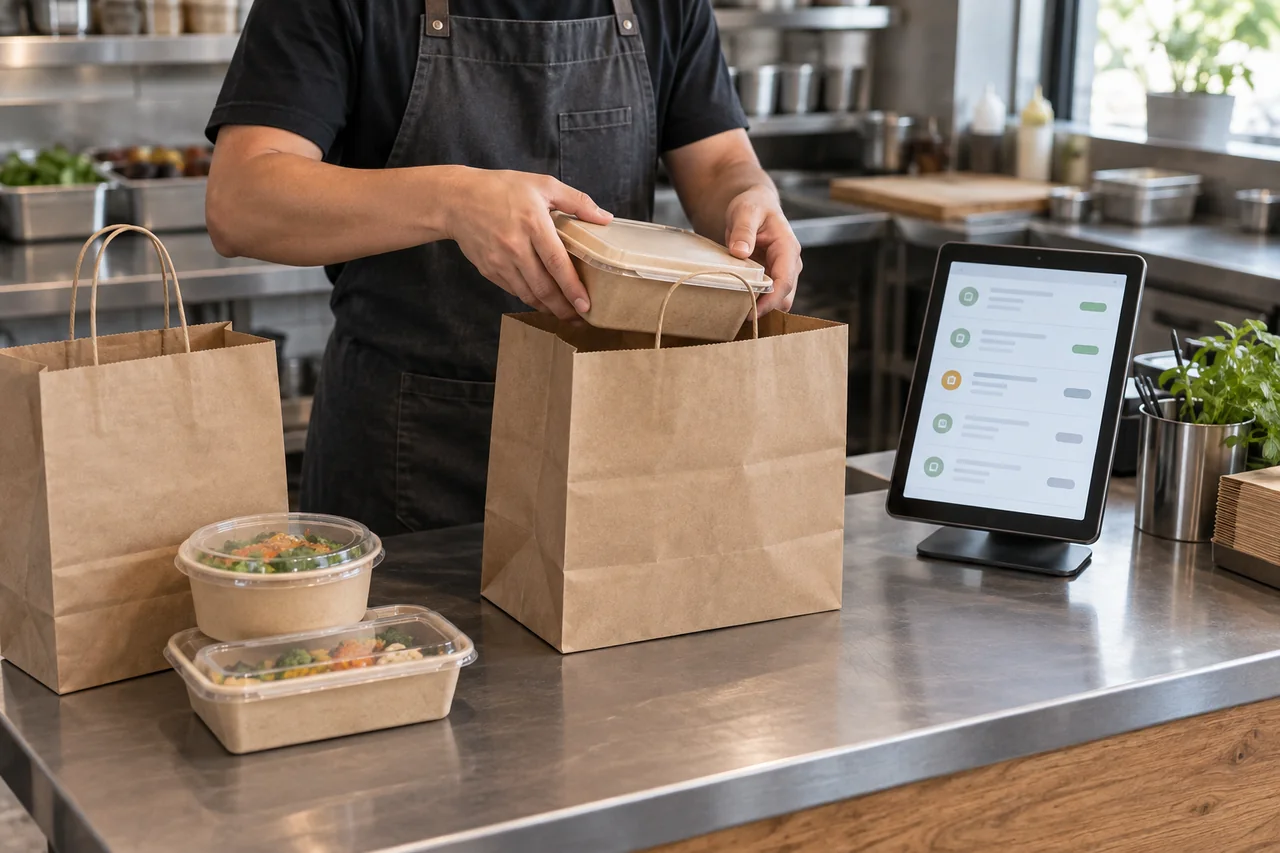
A regular can open a café’s own app, choose a pickup location, customise an oat latte and reorder it next time. On the other side of the counter, Craver’s coffee shop app can bring across a Square menu, its milk and size options, and available stock. A shop using Square Loyalty can carry rewards between its counter and its app. That combination earns Craver first place for independent cafés.
Craver’s Canadian pricing lists CA$99 per month per location for Core, plus a 5% guest fee capped at CA$2 per order. At that rate, the guest fee on an $8 order is 40 cents. That’s a line worth looking at on a sample receipt before rolling out an app for small daily purchases.
To order as a customer, follow the app link from the café you already visit. To choose a platform as an owner, compare coffee shop loyalty programs if earning points at the till matters as much as mobile pickup.
Pros
- One branded checkout for drink options, pickup and rewards.
- Square menu and inventory syncing can spare staff a second menu to maintain.
Cons
- The shop has to offer the app before a customer can use it.
- A fee on a small daily purchase can matter to a regular.
 2. Th3rdwave for finding independent Ottawa cafés
If you have an hour between appointments, choosing the right room can matter as much as choosing the drink. Th3rdwave’s café directory lets you filter for details such as a laptop-friendly space or a shop that carries beans from several roasters. Save two candidates near your route, then check the café’s own hours before you walk over.
The Ministry of Coffee is one example in Th3rdwave’s Ottawa–Gatineau listings. The app also keeps digital stamp cards for participating shops. Check whether the particular café offers one before counting on a reward. For somewhere to eat on the same outing, the Ottawa dining guide compares options by neighbourhood and occasion.
Pros
- Filters address practical questions such as where to work or try a different roaster.
- Saved lists are useful for planning a walk with more than one possible stop.
Cons
- A directory listing alone tells you little about today’s queue or free tables.
 3. Starbucks Canada for a familiar order on the way
The Starbucks Canada app makes sense when you already know the drink and the chain. Select a participating store, choose the drink, and place the order before you arrive. The store finder and the rewards account are in the same app, so a commuter can find a stop and earn Stars on an eligible purchase.
Check the pickup address before paying, particularly downtown where a second branch may also be close. For someone who wants to move between independent cafés, Th3rdwave’s map has the more useful starting point.
Pros
- One app covers participating Starbucks locations.
- Mobile ordering and an optional free rewards account serve repeat visits.
Cons
- Its ordering and rewards are tied to Starbucks locations and participation.
 4. Siip for picking a bag of beans you’ll enjoy
Siip’s coffee scanner helps with the decision you make before switching on the grinder. Photograph a bag or search for the coffee, see how its taste profile fits yours, and rate it after brewing. That gives you a shopping history you can use when two similar-looking bags are back on the shelf.
If a café serves a filter coffee you particularly like, ask which beans are in the batch and look them up while the name is fresh. Canadian readers can use the free app for discovery. Siip describes its separate bean subscription as US-only.
Pros
- Scanning and ratings connect a purchase with what you thought of the cup.
- The taste history can travel with you between roasters.
Cons
- Personal matches depend on the feedback you enter.
- Canadian addresses are outside the stated subscription delivery area.
 5. Filtru for a pour-over you can repeat
Filtru’s guided brew timer puts the recipe in the order you need it at the kettle. Pick a method such as V60 or Chemex, choose the dose and follow the timing for each pour. You can keep notes afterward so tomorrow’s cup starts with the same recipe.
For example, an 18-gram dose at a 1:16 ratio calls for 288 grams of water. Put the scale where you can see the weight and the phone where you can see the timer. Once you have a baseline, changing one thing, such as grind size, makes the next cup easier to interpret.
Pros
- Step-by-step pours help when your hands are busy.
- Several brewing methods share the same interface.
Cons
- The current developer download is for Apple devices.
- Some features are paid upgrades.
 6. BeanConqueror for dialling in espresso
BeanConqueror’s brew log suits the person who wants to know why Tuesday’s espresso worked. Record the beans, dose, grinder setting, drink weight and time. If Wednesday’s shot runs faster, those entries give you a concrete starting point for the next adjustment.
You can log by hand and add a supported Bluetooth scale later. The project publishes model-specific compatibility, which matters even within the same brand. Check your exact scale before buying hardware for automatic tracking.
Pros
- Detailed records make it easier to return to a previous grinder setting.
- The open-source app supports offline logging.
Cons
- A detailed espresso log takes more input than a quick rating of a bag.
 7. Aeromatic for getting more from an AeroPress
Aeromatic’s AeroPress recipes give a single brewer a surprising amount of range. Pick a recipe, check its dose and equipment, then let the timer guide you through the steep and press. The collection includes recipes that use different filters or attachments, so check what a recipe calls for before weighing out the beans.
This is the pick for someone who wants a second way to use the brewer they already own. Save a note about how the cup turned out, then try the same coffee with a different steep time. Filtru is the more convenient choice if you regularly switch between several brewing methods.
Pros
- Recipe instructions and a timer stay together during the brew.
- Available on both iOS and Android.
Cons
- Its recipe collection centres on the AeroPress.
- Some recipes call for accessories beyond the standard brewer.
Frequently asked questions
Which coffee app should I use to order ahead at an independent Ottawa café?
Start with the café’s own website or counter sign. A café that uses Craver can publish an app in its own name, with its menu, pickup locations and rewards. Use the link supplied by the shop so the order goes to the right business.
What does Craver cost for a Canadian coffee shop?
Craver lists its Core plan at CA$99 per month per location. It also lists a 5% guest fee, capped at CA$2 per order. The monthly fee is a merchant cost. Check a sample checkout for the customer’s total and ask about any add-ons your café needs.
Which app helps me find a café where I can work?
Th3rdwave has a café map and a laptop-friendly filter. Make a shortlist near your destination, then check opening hours and any laptop policy with the shop. A map can help you choose the room, while seat availability depends on when you arrive.
Can I scan a bag and keep a record of the coffees I like?
Yes. Siip lets you scan or search for a coffee, see a personal taste match and record a rating. It suits someone choosing the next bag. BeanConqueror is the stronger choice if the record you want includes grind size, brew time and dose.
What’s a good pour-over timer for iPhone or an AeroPress timer for Android?
Filtru gives iPhone users a timed sequence for methods such as V60 and Chemex. For an AeroPress on Android or iPhone, Aeromatic combines the recipe with a timer and instructions for each stage.
Do I need a Bluetooth scale to keep an espresso log?
You can enter a shot manually in BeanConqueror. Start with the coffee dose, espresso yield, time and grinder setting. A compatible Bluetooth scale adds automatic measurements if you later want a more detailed record.
Which coffee apps can I start using for free in Canada?
Th3rdwave’s directory, Siip’s discovery app and BeanConqueror are free to use. Filtru and Aeromatic offer free downloads with optional purchases. Starbucks Rewards is free to join, while Craver’s monthly subscription is for the café operating its own app.
Explore more Explore Ottawa guides from Ottawa Reviews.
How we research and correct our guides · Suggest a correction